Master Your Wedding Invitations with Canva
Planning a wedding involves countless details, but few are as personally significant as the invitation suite. It sets the tone for the entire event, giving guests their first glimpse into the style and atmosphere of your big day. For modern couples who value both aesthetics and efficiency, Wedding Invitation Canva templates have revolutionized the design process. Gone are the days of needing expensive graphic design software or hiring a professional just to get started. With the right template, you can create a cohesive, professional-looking invitation suite from your laptop or phone.
Defining the Visual Personality of Your Invite
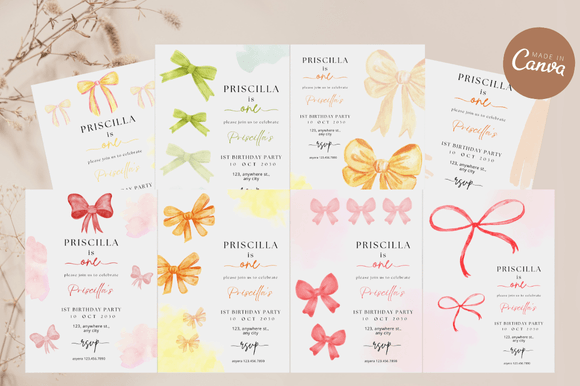
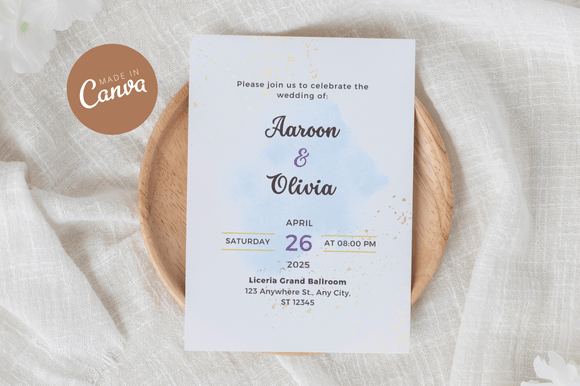
The visual style of a Wedding Invitation Canva template can vary wildly, but the modern trend leans heavily toward specific aesthetics that resonate with today's couples. Whether you are drawn to the "Coquette" style—characterized by soft palettes, floral accents, and romantic typography—or a sleek, minimalist layout, the template dictates the personality of your correspondence.
When selecting a template, look closely at the visual hierarchy. A well-designed template uses modern typography to guide the eye. Typically, this involves a beautiful script font or handwritten font for the names of the couple, paired with a clean sans serif font for the logistical details like time, date, and venue. This combination ensures that the "who" is prominent, while the "where" and "when" remain highly legible. The overall appeal should match the energy of your wedding; a rustic barn wedding might call for earthy tones and textured backgrounds, while a city loft event demands sharp lines and high-contrast fonts.
Practical Applications Beyond the Envelope
While the primary focus is the Invitation Template 5″x7″, the utility of a Wedding Invitation Canva design extends far beyond the main card. Consistency is key to a strong brand identity for your wedding. Once you establish your look using the main invite, you can adapt elements for a variety of projects:
- Digital Integration: Use the design assets to create matching social media graphics for your wedding hashtag or a digital save-the-date.
- Day-of Collateral: The editable Canva file allows you to resize elements for menus, programs, and place cards, ensuring your editorial design remains consistent.
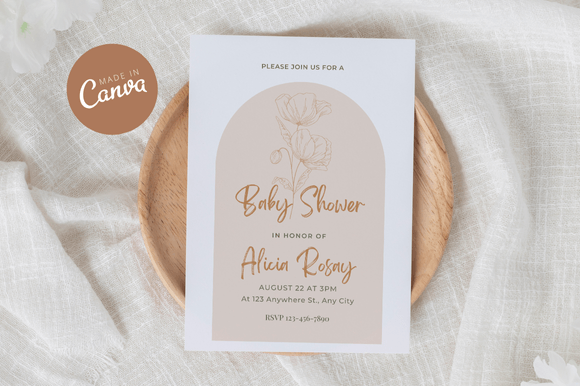
- Peripheral Events: The aesthetic often translates perfectly to pre-wedding events. For instance, the "Coquette" style mentioned in various bundles works wonderfully for a Baby Shower Invitation or bridal shower, creating a family of printables that feel connected.
For entrepreneurs and stationers, understanding this versatility is crucial. It allows you to offer clients a bundled approach, where the wedding invite is just the start of a larger suite of design assets.
Optimizing Readability and Brand Perception
The choice of typeface within your Canva template significantly influences how your message is received. In the context of a wedding, readability is paramount. While a highly decorative display font might look stunning on a computer screen, it can become illegible when printed, especially at smaller sizes for details like RSVP information.
When evaluating a premium font or a template's default settings, consider the "squint test." If you have to squint to read the text, it fails. Good graphic design balances flair with function. The serif font or sans-serif body text should have enough "leading" (line spacing) to feel airy and romantic, not cramped. This white space is a strategic element; it suggests elegance and calm, influencing the guest's perception of the event before they even check their calendar. A cluttered layout, conversely, can make a formal event feel chaotic or disorganized.
Strategic Selection and Customization
Choosing the right Wedding Invitation Canva template requires a critical eye. It is not just about what looks pretty in the preview; it is about evaluating the file for professional use. Here is how to approach the selection process:
- Assess the Layers: A high-quality editable Canva template should have clearly labeled layers. You should be able to easily isolate the background, text, and graphic elements without breaking the layout.
- Evaluate Font Pairings: Look at how the designer paired fonts. Do the script font and the sans serif font complement each other? A common mistake is pairing two highly decorative fonts, which creates visual noise. Good pairing relies on contrast—pairing a flowing script with a rigid geometric sans-serif usually yields the best results.
- Check Commercial Licensing: If you are a designer or small business owner creating invites for clients, you must verify the licensing. Many free Canva account elements are fine for personal use, but using them for commercial font products or selling the final design often requires a Canva Pro subscription or specific licensing for the font assets included in the download.
Furthermore, consider the packaging design aspect. How will this 5x7 card sit inside an envelope? Does the design allow for enough margin? These technical details separate amateur projects from professional stationery.
Accessibility and Tools
One of the greatest advantages of the Wedding Invitation Canva ecosystem is its accessibility. You do not need a high-end desktop computer to manage your design assets. The platform is optimized for mobile, meaning you can make tweaks to your invitation while commuting or during a lunch break.
However, for the initial setup and detailed customization, a laptop is recommended. It allows for finer control over alignment and typography. Whether you are a DIY bride, a content creator designing a mock-up, or a hobbyist working on a creative project, the barrier to entry is remarkably low. You get the look of premium font styles and professional layouts without the steep learning curve of Adobe Illustrator. This democratization of web design and print design tools empowers anyone to produce high-quality printable templates that leave a lasting impression.